ES Call Text Request a Quote

Kreative Arena LED

Run your arena’s LED screen from a phone.

Scoreboard, sponsors, goal animations and player intros — live on your ribbon board, controlled from any phone, tablet or laptop in the building.

Try it now in your browser Download the free demo

No sign-up, nothing to install. Works on a phone, tablet or computer.

What it does

Everything the game needs, one tap away.

Built and tested at a working ice rink. A new operator learns it in a five-minute walkthrough.

01

Scoreboard & game clock

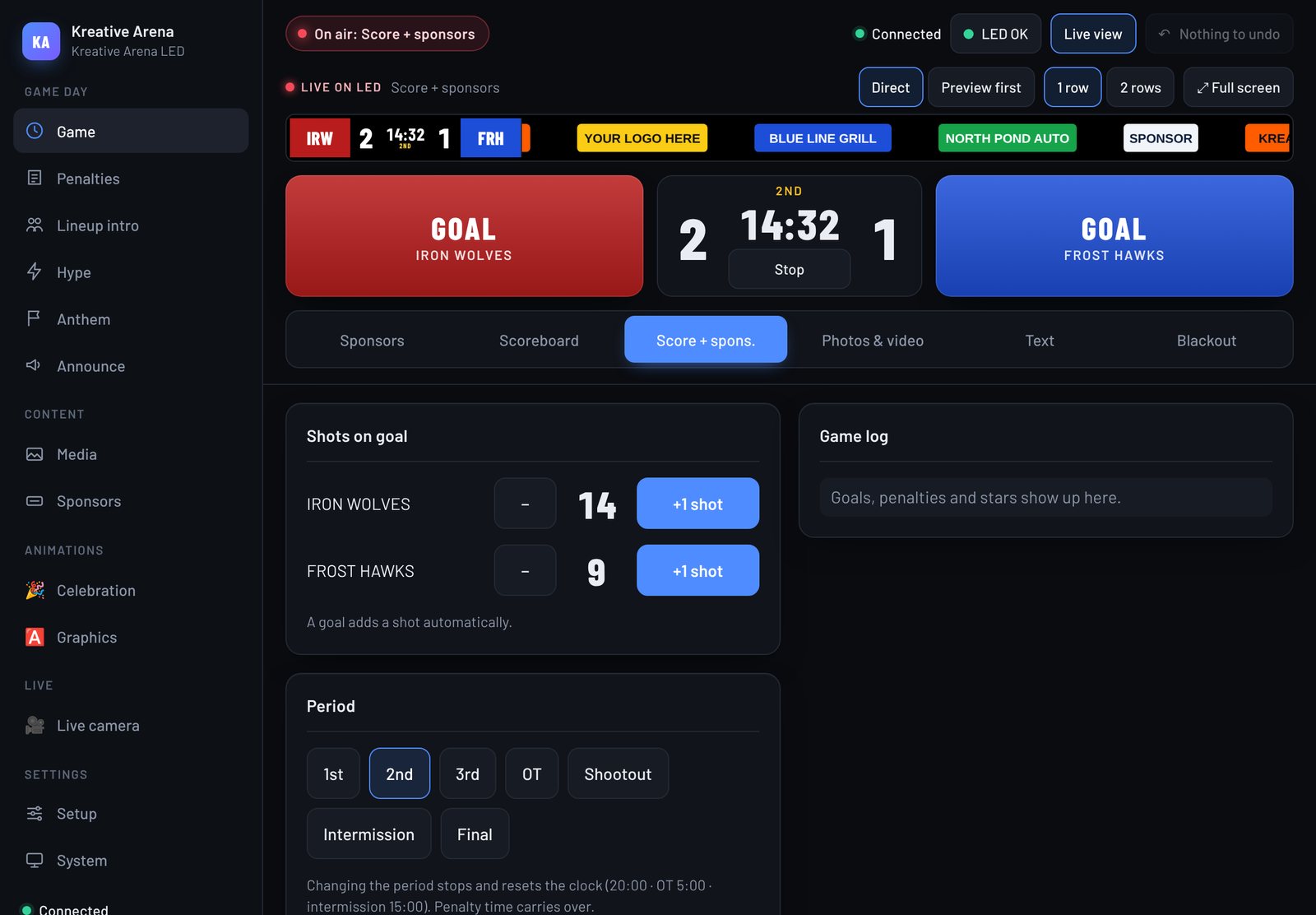
Score, period, clock and shots on goal on the ribbon board. A live view at the top of the control shows exactly what the fans see.

  • Start and stop the clock with one tap
  • Six screen modes, from sponsors to blackout
  • Undo for every action
The control on an iPad: live view of the LED, goal buttons, game clock, screen modes and shots on goal
02

Goal animations

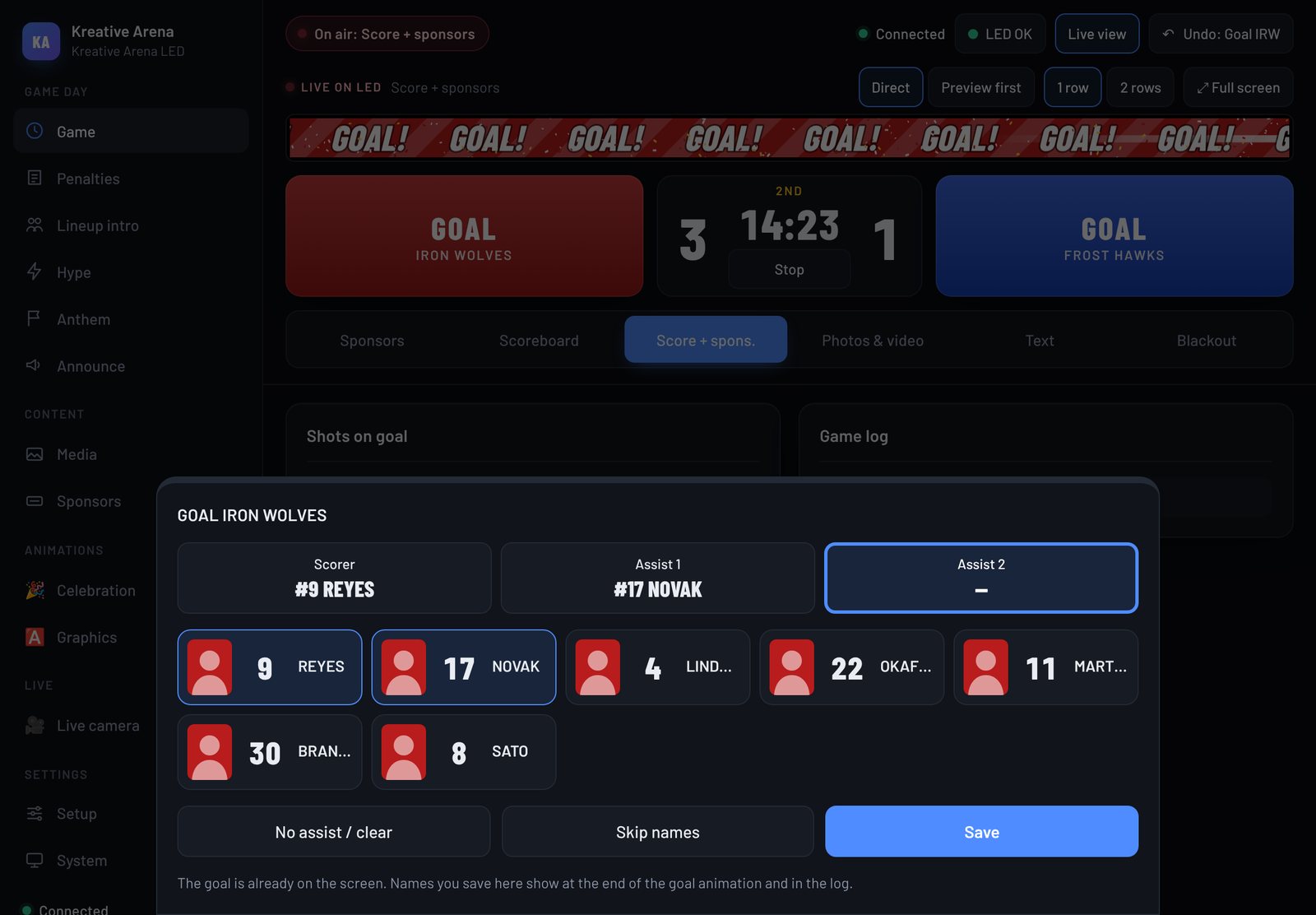
One tap plays the goal animation. Then pick the scorer and assists and their names run on the board.

  • Scorer and assists from your roster
  • Power-play and short-handed goals marked
  • Every goal saved in the game log
The goal sheet on an iPad while the goal animation plays on the LED: pick the scorer and the assists
03

Sponsors that rotate

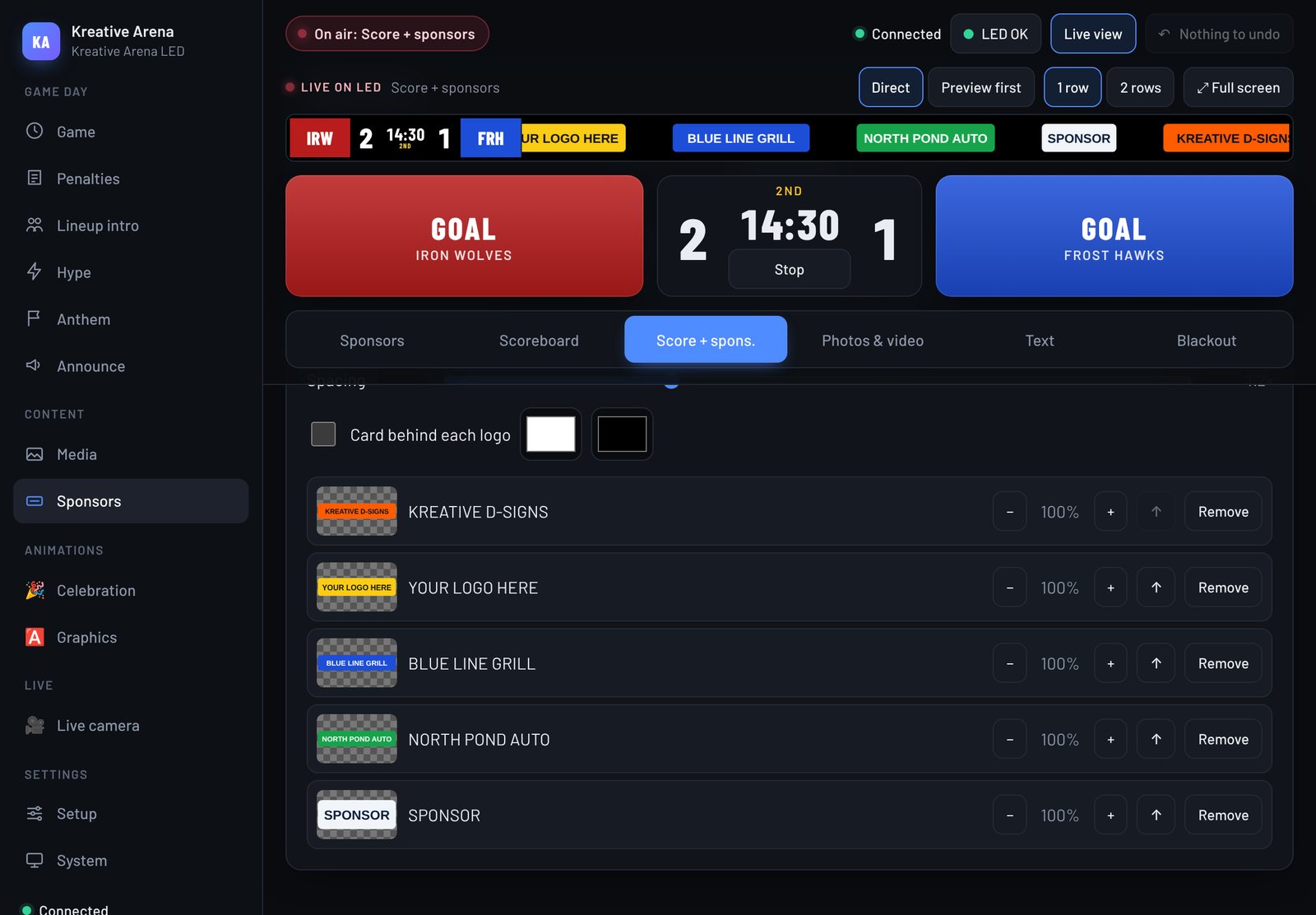
Upload logos once and they rotate on their own, alone or next to the score.

  • Upload PNG or SVG logos
  • Set the order, size and speed
  • Full screen or next to the score
The sponsors screen on an iPad: list of sponsor logos with size and order controls
04

Penalties & power play

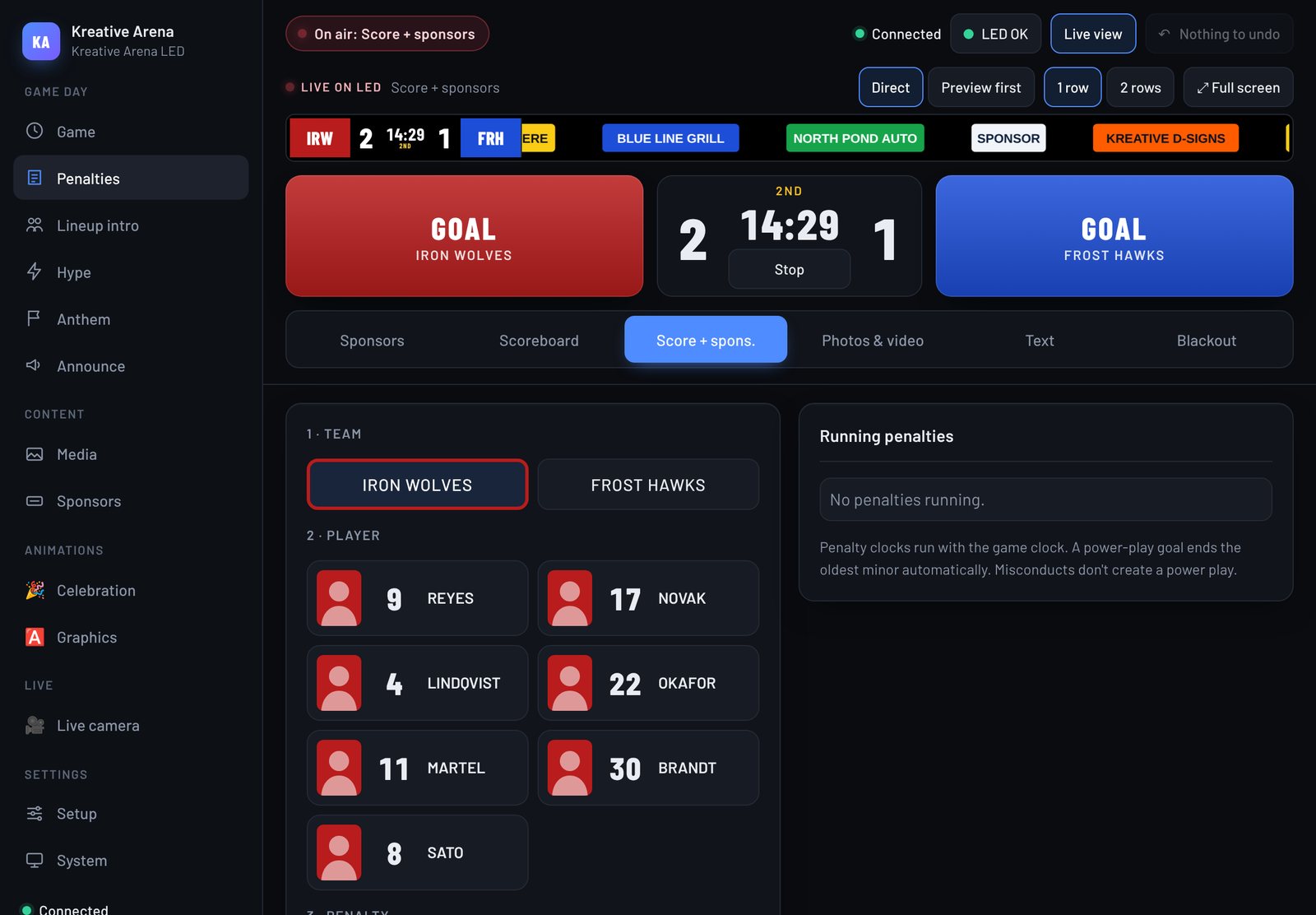
Pick the player and the penalty. The timer runs with the clock and the power play shows up by itself.

  • Minor, double minor, major and misconduct
  • Timers count with the game clock
  • Power play shows up automatically
The penalties screen on an iPad: pick the team and the player
05

Lineups, hype & announcements

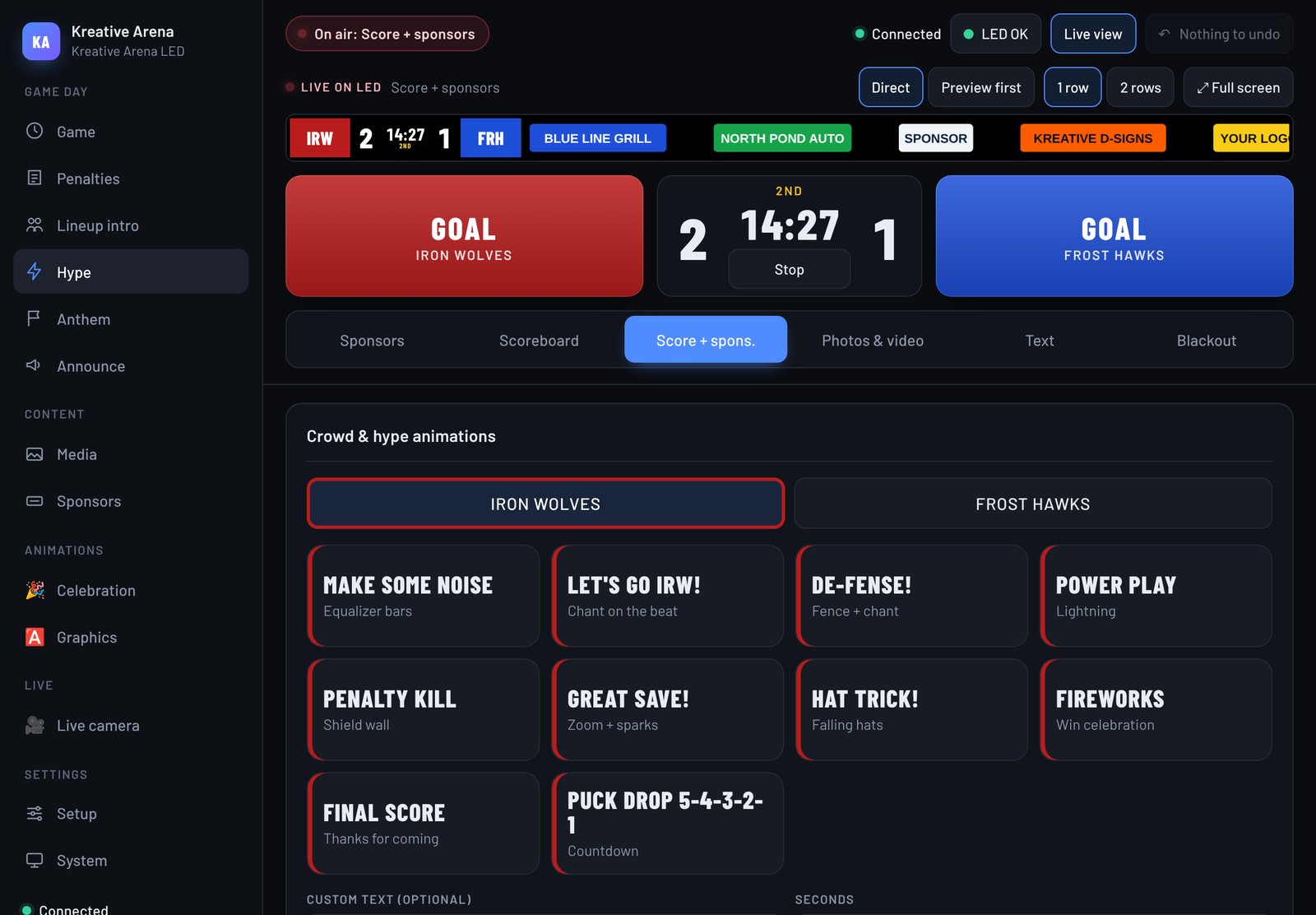
Starting lineup intros, crowd animations, birthdays, announcements, photos and video.

  • Crowd animations in your team’s colors
  • Starting lineup intros with player photos
  • Birthdays, announcements, photos and video
The hype screen on an iPad: crowd animations like Make Some Noise, Power Play and Hat Trick
06

Screen health

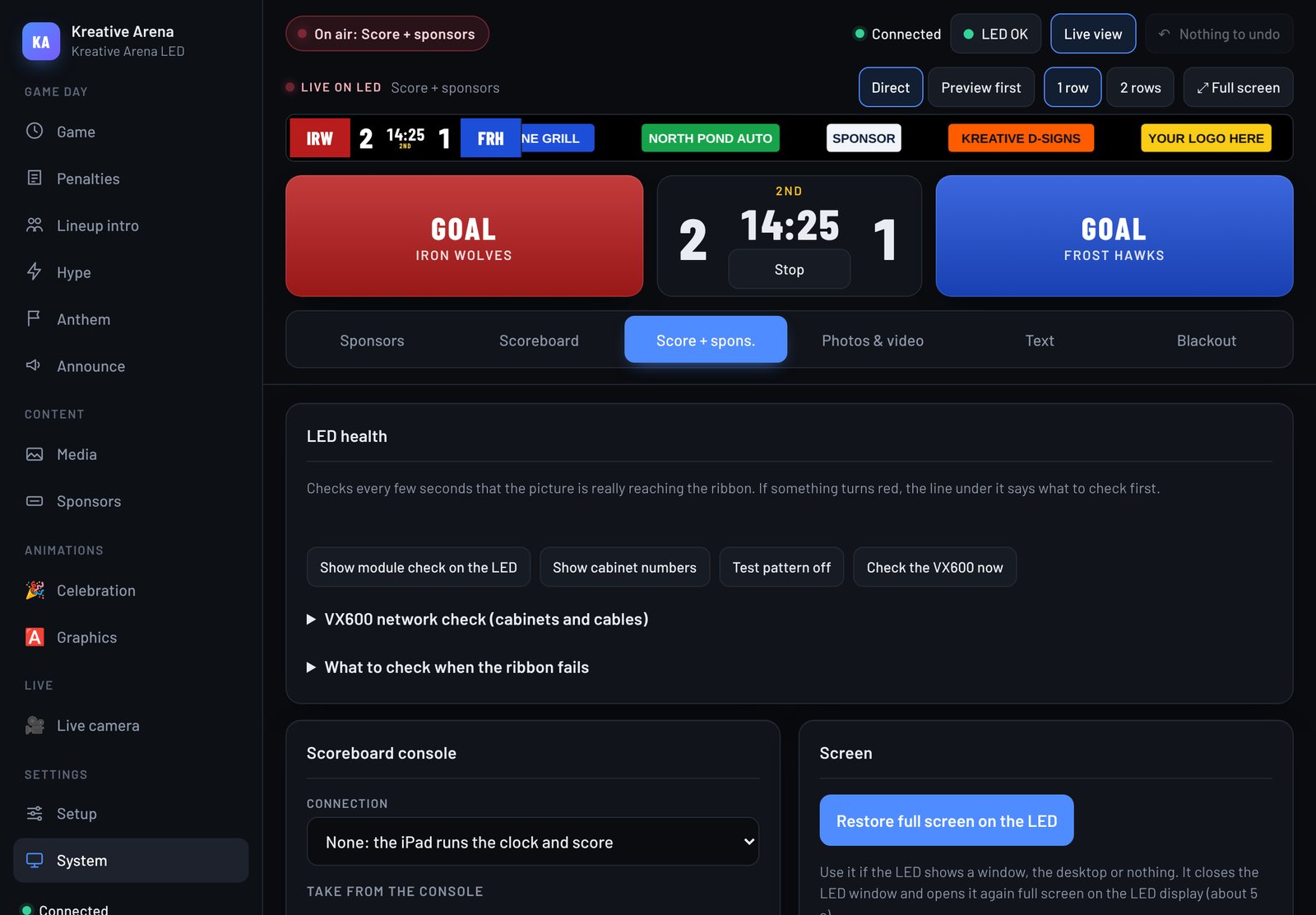
Checks that the picture really reaches the ribbon and tells you what to check when it doesn’t.

  • Checks every few seconds
  • Test patterns and cabinet numbers
  • Step-by-step help when the ribbon fails
The system screen on an iPad: LED health checks and scoreboard console connection
Try it

Tap the buttons yourself.

The online demo is the real control with sample teams. No sign-up, nothing to install.

Open the online demo

How it works

Your screen, your computer, our software.

  1. 1A computer in the booth (Windows or Mac) runs the app and sends the picture to the screen through HDMI.
  2. 2Your LED controller shows it on the ribbon board. Works with NovaStar controllers and any controller that takes an HDMI input.
  3. 3Phones and tablets on the arena Wi-Fi open the control. No app store, no accounts.
  4. 4If the internet drops, the screen keeps running. Updates install themselves when the game clock is stopped.

Free demo

Install it on your own computer.

Leave your details and we’ll help you set it up, or download it right away. The demo is the full app. It shows a small “Not licensed” mark on the screen until you buy a license for your arena.

  • Windows 10/11 or macOS
  • Free Node.js LTS (the app tells you if it’s missing)
  • Less than 20 MB of space

Just want the file? Download without signing up

Questions

Before you ask.

What’s the difference between the online demo and the download?

The online demo runs in your browser with sample teams and sponsors, and your changes stay on your device. The download is the same app on your own computer, where you can connect it to your LED screen.

Does it work with my LED screen?

If your LED controller takes an HDMI input, yes. We’ve set it up on a NovaStar VX-series ribbon board, and the layout adapts to your screen’s size in pixels.

Do I need internet during a game?

No. Everything runs on the computer in your booth and your own Wi-Fi. Internet is only used to receive updates.

Can you install it for us?

Yes. We set up the computer, connect it to your controller, load your logos and sponsors, and train your operator.

What does the demo leave out?

Nothing — it’s the full app with a “Not licensed” mark on the screen. A license removes the mark for one computer.

Want to see it on a real screen?
Come see it live.